Why does my phone battery go down while charging?
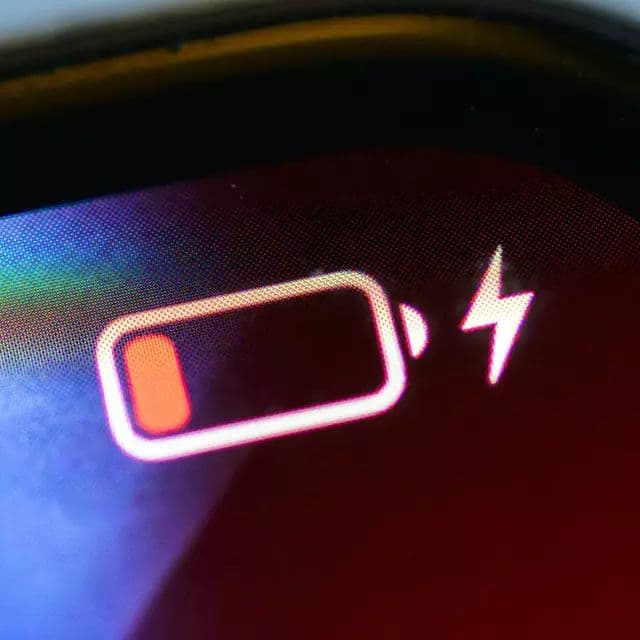
Table of Contents
You plug your phone in, set it down, glance at it a few minutes later — and the battery percentage is lower than when you plugged it in. That makes no sense, right? Charging is supposed to fix the problem, not make it worse.
If this has happened to you, don't panic. As frustrating as it is, a phone battery going down while charging is a recognized issue with several well-understood causes. Some of them are simple fixes you can handle in two minutes. Others point to something more serious that needs professional attention.
Let's go through every possible reason this happens and exactly what you can do about it.
1. Damaged Charging Port or Internal Hardware
This is one of the more serious causes, but it's worth ruling out early. Your charging port takes a lot of abuse over time — it's plugged and unplugged hundreds of times, exposed to dust and lint, and occasionally subjected to water or physical stress.
When the charging port is damaged or dirty, your phone might register that a cable is connected without actually receiving a proper flow of power. The phone thinks it's charging. It's not. And meanwhile, normal background activity continues draining the battery.
Internal hardware issues — specifically the sub-board that manages power delivery — can cause the same problem. If the component responsible for routing charging current to the battery is faulty, you'll see erratic or absent charging behavior even with a perfect charger and cable.
What to do: Check the port for visible debris or damage. You can carefully clean it with a dry toothpick or a can of compressed air. If the port looks physically damaged, or if cleaning doesn't help, this is a job for a repair technician.

2. Your Phone Is Overheating
Heat and charging don't get along well. Lithium-ion batteries have built-in thermal protection that deliberately slows down or completely halts charging when the device gets too hot. This is a safety feature — but it means that in a hot environment, your charger might be delivering less power than your phone is consuming, causing the battery to drop instead of rise.
This usually happens when you're doing something power-intensive while charging — gaming, streaming, video calling — or when you're charging in a hot environment like a sunny room or a warm car.
What to do: Give your phone a break. Set it down in a cooler spot, stop the heavy app usage, and let it cool down before resuming charging. Removing a thick phone case while charging can also help with heat dissipation. Once the temperature normalizes, charging should behave properly again.

3. Wrong Charger or Low-Quality Cable
This is probably the most common cause of battery draining while charging, and it's also the easiest to fix. Every charger has a power output rated in watts — and if that output isn't high enough to keep up with your phone's power consumption, the battery will continue draining even while plugged in.
Cheap or counterfeit chargers are especially problematic. They often deliver inconsistent voltage, fail to meet their advertised wattage, and can fluctuate during use. The result is a charging connection that's technically there but barely delivering any real power.
Cables matter too. A worn-out or low-quality cable can restrict the power flow significantly, turning what should be fast charging into a trickle that can't compete with what your phone is using.
What to do: Switch to the original charger that came with your phone, or a certified replacement with the same voltage and current specifications. If your cable is old, frayed, or from an unknown brand, replace it. This single change fixes the problem for a lot of people.
4. Faulty Wall Socket or Power Source
Sometimes the issue has nothing to do with your phone, your charger, or your cable. The power outlet itself might be the problem. Outlets that are loose, damaged, or on circuits with power fluctuations can supply inconsistent electricity, which translates to inconsistent charging on your device.
This is easy to overlook because we tend to assume the power source is always fine.
What to do: Try plugging into a completely different wall outlet — ideally in a different room. If the problem disappears with a different outlet, you've found your culprit. Consider having the original outlet inspected if it's consistently problematic.

5. Charging Through a Computer USB Port
USB ports on laptops and desktop computers typically deliver a maximum of 5 watts of power — sometimes less on older machines. That's a fraction of what a standard wall charger provides, and a tiny fraction compared to fast chargers.
If you're charging through a USB port while actively using your phone — watching videos, browsing, playing games — the power coming in through that port simply can't keep up with what the phone is consuming. The battery drains faster than the USB connection can replenish it.
What to do: Use a wall charger whenever possible, especially if you need to charge reasonably quickly. USB ports on computers are fine for a slow top-up when your phone is locked and idle, but they're not a reliable charging source if you're actively using the device.
6. Background Apps Consuming Too Much Power
Here's a scenario that catches a lot of people off guard. The moment you plug your phone into a charger, a bunch of things happen in the background — automatic backups kick in, app updates start downloading, syncing resumes, and location services wake up. All of this background activity can spike battery consumption right at the moment you expect it to start recovering.
If you're simultaneously using a slow charger, the math just doesn't work out in your favor. The battery drains faster than the charger can replenish it, and you end up watching the percentage slowly fall even though you're plugged in.
What to do: When you notice this happening, close background apps, disable GPS and mobile data temporarily, and switch on Battery Saver mode. These steps reduce your phone's overall power consumption and give the charger a fighting chance to catch up.
7. Software Glitch or System Bug
Occasionally, a software issue is behind the problem. Operating system bugs, corrupted update files, or unusual system processes can cause abnormal battery behavior — including inaccurate readings or excessive power drain that overwhelms the charging input.
This is less common than the hardware and charger causes, but it does happen — especially right after a major OS update.
What to do: Start with the simplest fix: restart your phone. A fresh reboot clears temporary system states and often resolves minor software glitches. If the problem persists, check for pending software updates — the issue may have been identified and patched already. You can also try charging your phone while it's completely powered off to see if the problem disappears, which would strongly suggest a software cause rather than a hardware one.
Step-by-Step: What to Try Right Now
If your phone battery is decreasing while charging, work through this sequence before assuming the worst:
*Swap the charger and cable — use the original or a certified replacement
*Try a different wall outlet
*Stop using the phone while it charges — especially no gaming or streaming
*Let the phone cool down if it feels warm
*Close all background apps and disable unnecessary features
*Restart the phone and try charging again
*Charge while powered off to rule out software as the cause
If you've gone through all of these steps and the battery still drops while charging, the issue is almost certainly hardware-related — a damaged port, a faulty sub-board, or a battery that's reached the end of its life. At that point, a visit to a repair technician is the right call.
Final Thoughts
A phone battery going down while charging is always a sign that something isn't right — but it's not always a sign that something is seriously wrong. Most of the time, the fix is as simple as switching to a better charger, moving to a different outlet, or letting your phone cool down and rest while it charges.
Work through the causes one by one, start with the easiest solutions, and you'll likely find the answer before you need to involve a repair shop. And if you do end up needing professional help, at least you'll go in knowing you've already ruled out the simple stuff.
A phone that charges properly is a phone that lasts longer — and that starts with understanding what's actually happening when the battery behaves unexpectedly.
For more battery troubleshooting guides and tips, visit bestbatteryguide.com
Try Our Battery Cycle Life Calculator
Estimate remaining battery cycle life and replacement timing.
Battery Cycle Life Calculator
Estimate remaining cycles and replacement timeline
Device
Usage & Health
Frequently Asked Questions

Written by
BatteryGuides Editorial Team
Our team of battery experts researches and tests every guide to ensure accuracy. We're committed to helping you get the most out of your phone, laptop, and solar batteries.


