Phone Battery Overheating Issues and Fixes: Everything You Need to Know
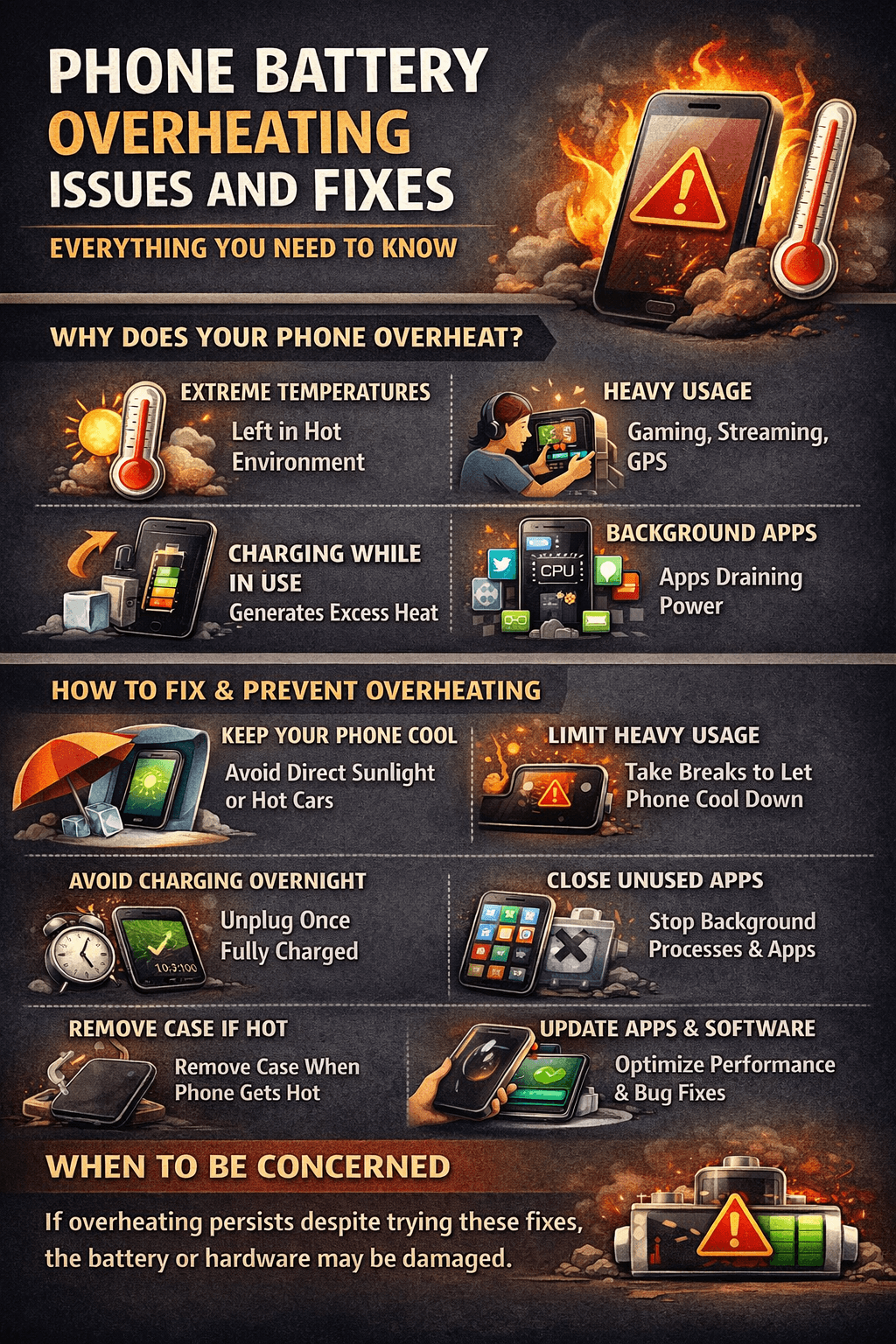
Table of Contents
- 1. Charging With a Faulty or Incompatible Charger
- 2. Charging While Using the Phone
- 3. Running Too Many Apps at Once
- 4. Playing Graphic-Intensive Games
- 5. Direct Sunlight and Hot Environments
- 6. A Degraded or Aging Battery
- 7. Software Bugs and Runaway Processes
- 8. Poor Ventilation and Phone Cases
- Fix 1: Remove the Phone Case While Charging
- Fix 2: Switch to a Certified Charger
- Fix 3: Don't Use Your Phone While It Charges
- Fix 4: Close Background Apps Regularly
- Fix 5: Lower Screen Brightness and Enable Dark Mode
- Fix 6: Turn Off Features You're Not Using
- Fix 7: Avoid Using Your Phone in Direct Sunlight
- Fix 8: Update Your Apps and Operating System
- Fix 9: Restart Your Phone Regularly
- Fix 10: Check for Battery-Draining Apps
- Fix 11: Enable Battery Saver or Low Power Mode
- Fix 12: Replace Your Battery
We've all been there. You're scrolling through your feed, playing a game, or just charging your phone on the nightstand and suddenly the device feels like it just came out of an oven. Phone battery overheating is not just uncomfortable to hold, it's a warning sign that something isn't right. And if you ignore it long enough, it can permanently damage your battery, corrupt your data, or in extreme cases, become a serious safety hazard.
The frustrating part? Overheating doesn't always have an obvious cause. Sometimes your phone heats up during charging. Sometimes it gets hot while doing something as simple as browsing the web. And sometimes it just runs warm all day for no apparent reason.
In this guide, we're going to cover everything why phone batteries overheat, what the warning signs look like, which situations are dangerous versus just annoying, and most importantly, the exact fixes that will cool your phone down and keep it that way.
Why Does a Phone Battery Overheat? The Science Behind It
Your phone's battery is a lithium-ion or lithium-polymer cell. These batteries generate heat naturally as a byproduct of chemical reactions happening inside them during both charging and discharging. A little warmth is completely normal. The problem starts when that heat builds up faster than the phone can release it.
Smartphones are designed to manage heat through a combination of hardware and software. But when something pushes the system beyond its limits whether it's an intensive app, a hot environment, a faulty charger, or an aging battery the temperature climbs into dangerous territory.
Most phones are designed to operate safely between 0°C and 35°C (32°F to 95°F). When the battery temperature exceeds this range, you'll start noticing performance issues, and your phone may even shut itself down as a protective measure.
Understanding the root cause of your phone's overheating is the first step toward fixing it permanently.
Common Causes of Phone Battery Overheating
1. Charging With a Faulty or Incompatible Charger
One of the most common — and most overlooked — causes of phone battery overheating is using the wrong charger. Cheap, non-certified chargers don't regulate voltage and current properly. This can push too much power into your battery at once, causing it to heat up rapidly during charging.
Even if a third-party charger fits your phone's port perfectly, it may not communicate with your phone's charging circuit the way a certified charger does. The result is inefficient charging that generates excess heat.
Always use:
The original charger that came with your phone
A certified replacement from the manufacturer
MFi-certified (for iPhones) or USB-IF certified chargers from trusted brands
2. Charging While Using the Phone
This is a habit millions of people have — and it's one of the biggest contributors to phone battery overheating. When you charge your phone, the battery generates heat. When you use your phone, the processor generates heat. Do both at the same time and you're stacking heat sources on top of each other with no way for the device to cool down.
Activities that are especially problematic while charging include:
Mobile gaming
Video streaming (especially at high quality)
Video calls
Using GPS navigation
If your phone gets very hot while charging and being used simultaneously, that's your cue to put it down and let it charge undisturbed.
3. Running Too Many Apps at Once
Every app running on your phone — even in the background — uses your processor and RAM. The more your processor works, the more heat it produces. When you have dozens of apps open in the background alongside whatever you're actively doing, your phone's CPU and GPU can run at sustained high capacity, generating significant heat.
This is especially true for:
Social media apps with auto-playing videos
Navigation apps running in the background
Fitness or health tracking apps
Apps that constantly sync data in the background
4. Playing Graphic-Intensive Games
Mobile gaming is one of the fastest ways to heat up a phone. Graphics-heavy games push your phone's GPU to its limits, consuming massive amounts of power and generating a lot of heat in a short period. If you've ever noticed your phone getting uncomfortably warm during a long gaming session, that's exactly why.
Extended gaming sessions without breaks can push phone temperatures well above safe operating levels — and if your phone is also charging during this time, the heat compounds even further.
5. Direct Sunlight and Hot Environments
Your phone's battery is very sensitive to external temperature. Leaving your phone in direct sunlight — on a car dashboard, a beach towel, or a sunny windowsill — can heat it up dramatically even when you're not using it at all.
Lithium-ion batteries degrade significantly when exposed to high temperatures over time. A phone left in a hot car on a summer day can experience battery damage that shortens its total lifespan permanently.
6. A Degraded or Aging Battery
As a battery ages and its health degrades, it becomes less efficient at converting stored chemical energy into electrical power. More of that energy is lost as heat rather than being used to power your phone. This is why older phones tend to run warmer than they used to the battery is working harder to deliver the same amount of power.
If your phone is more than 2 years old and has started running hot more frequently, battery health degradation may be the underlying cause.
7. Software Bugs and Runaway Processes
Sometimes the cause of phone battery overheating has nothing to do with hardware at all. A buggy app or a misbehaving system process can cause your CPU to run at full speed continuously — even when your screen is off and your phone appears idle.
Signs that a software issue is causing your phone to overheat:
The phone gets hot even when you haven't used it
Battery drains extremely fast alongside the overheating
The overheating started suddenly after an app update or OS update
8. Poor Ventilation and Phone Cases
Phone cases — especially thick, rubbery ones — trap heat. While cases are great for protecting against drops, they prevent your phone from releasing heat naturally. During charging or heavy use, this trapped heat has nowhere to go, causing the phone to run hotter than it normally would.
Some cases made from cheap materials can also conduct heat poorly or even insulate it, making the problem worse.
Warning Signs That Your Phone Is Overheating
Your phone will usually give you several warning signs before things get serious:
The device feels hot to the touch — especially on the back near the battery or camera area
Performance slowdown — your phone starts lagging or apps take longer to open (this is thermal throttling — your phone deliberately slowing itself down to reduce heat)
Screen dims automatically — another thermal protection mechanism
Battery draining unusually fast alongside the heat
A warning message on screen saying the phone needs to cool down before you can use it
Apps crashing or the phone restarting unexpectedly
The camera becomes unavailable — iPhones, for example, will disable the camera when the device gets too hot
If you see any of these signs, stop using the phone immediately and let it cool down.
Is Phone Battery Overheating Dangerous?
The short answer: it can be, if ignored.
In mild cases, overheating causes temporary performance issues and gradually damages your battery's health over time. In more serious cases, it can lead to permanent battery damage, data loss from unexpected shutdowns, or component failure.
In extreme cases — particularly with damaged, swollen, or counterfeit batteries — overheating can lead to thermal runaway, a condition where the battery temperature rises uncontrollably and can result in fire or explosion. This is rare, but it's the reason you should never ignore a battery that's physically swollen, leaking, or getting dangerously hot.
Immediately stop using your phone and seek professional help if:
The battery appears swollen or bulging
You notice a burning smell
The phone becomes too hot to hold
The phone screen is warping or separating from the body
How to Fix Phone Battery Overheating: Step-by-Step
Fix 1: Remove the Phone Case While Charging
This is the simplest fix and one of the most effective. Taking your case off while your phone charges allows heat to escape from the device naturally. Even if your case isn't causing overheating on its own, removing it during charging gives your phone the best chance to stay cool.
Fix 2: Switch to a Certified Charger
If you've been using a cheap third-party charger, replace it with a certified option immediately. The small savings on a budget charger are not worth the battery damage — or safety risk — that comes with irregular charging behavior.
Fix 3: Don't Use Your Phone While It Charges
Give your phone a break during charging. Plug it in, put it face down, and let it charge without running any apps. This alone can dramatically reduce charging temperatures.
Fix 4: Close Background Apps Regularly
Make it a habit to close apps you're not using. On iPhone, swipe up from the home bar to view open apps and swipe them away. On Android, use the recent apps button and close everything that's running unnecessarily. This reduces the load on your processor and keeps temperatures down.
Fix 5: Lower Screen Brightness and Enable Dark Mode
Your screen is one of the biggest heat generators on your phone. Reducing brightness and enabling dark mode (especially on OLED screens) reduces the power your display consumes, which in turn reduces heat.
Fix 6: Turn Off Features You're Not Using
Features like GPS, Bluetooth, Wi-Fi, and mobile hotspot all consume power and generate heat when active. Turn them off when you don't need them. This is a small change that makes a noticeable difference — especially during heavy use.
Fix 7: Avoid Using Your Phone in Direct Sunlight
When you're outdoors on a hot day, keep your phone in your pocket or bag rather than in direct sunlight. If you need to use it, try to stay in the shade. Never leave your phone in a parked car during warm weather.
Fix 8: Update Your Apps and Operating System
App and OS updates frequently include bug fixes that address performance issues — including ones that cause excessive CPU usage and overheating. Keep everything updated to ensure your phone is running as efficiently as possible.
Fix 9: Restart Your Phone Regularly
A simple restart clears out temporary files, closes stuck processes, and gives your phone's system a fresh start. If your phone has been running continuously for days or weeks, a restart can noticeably reduce heat and improve performance.
Fix 10: Check for Battery-Draining Apps
Go into your battery settings and look at which apps are consuming the most power. If a single app is responsible for an unusually high percentage of battery usage, it may be the cause of your overheating. Try uninstalling or reinstalling the app, or contact the developer about the issue.
Fix 11: Enable Battery Saver or Low Power Mode
When your phone is running hot, switching on battery saver mode reduces background activity, limits performance to a sustainable level, and helps bring temperatures down. It's a great temporary measure while you figure out the underlying cause.
Fix 12: Replace Your Battery
If your phone is more than 2 years old and overheating has become a regular issue, the most effective long-term fix is a battery replacement. A new battery from a certified repair center will restore efficient power delivery, reduce heat generation, and make your phone feel like new again.
How to Prevent Phone Battery Overheating Long-Term
Fixing overheating is one thing — preventing it from becoming a recurring problem is another. Here are the habits that will keep your phone running cool for years:
Charge between 20% and 80% — avoid constantly charging to 100% or draining to 0%, as both extremes stress the battery and generate excess heat
Use optimized charging features — newer iPhones and Android phones offer optimized charging that slows charging speed overnight to reduce heat and battery wear
Take breaks during gaming — give your phone 10–15 minutes to cool down between intense gaming sessions
Store your phone in a cool, dry place — never leave it in a hot car or in direct sunlight for extended periods
Invest in a quality case — choose a case with good heat dissipation properties rather than thick rubber cases that trap heat
Monitor battery health regularly — check your battery health every few months and replace the battery before it degrades to the point of causing overheating
Final Thoughts
Phone battery overheating is a serious issue that deserves serious attention but it doesn't have to be a permanent problem. In most cases, it comes down to a combination of habits, settings, and hardware condition that can all be improved.
Start with the easy wins: remove your case while charging, switch to a certified charger, close your background apps, and keep your software updated. If the overheating persists despite all of that, it may be time to get your battery replaced by a professional.
Your phone is one of the most used devices in your life it deserves to be taken care of. Treat your battery right, and it'll reward you with a cooler, faster, longer-lasting device.
For more in-depth battery guides, troubleshooting tips, and honest recommendations, visit BestBatteryGuide.com your trusted source for everything battery-related.
Try Our Battery Cycle Life Calculator
Estimate remaining battery cycle life and replacement timing.
Battery Cycle Life Calculator
Estimate remaining cycles and replacement timeline
Device
Usage & Health
Frequently Asked Questions

Written by
BatteryGuides Editorial Team
Our team of battery experts researches and tests every guide to ensure accuracy. We're committed to helping you get the most out of your phone, laptop, and solar batteries.


