Battery Full But Phone Dies Fast? Here's Why It Happens and How to Fix It
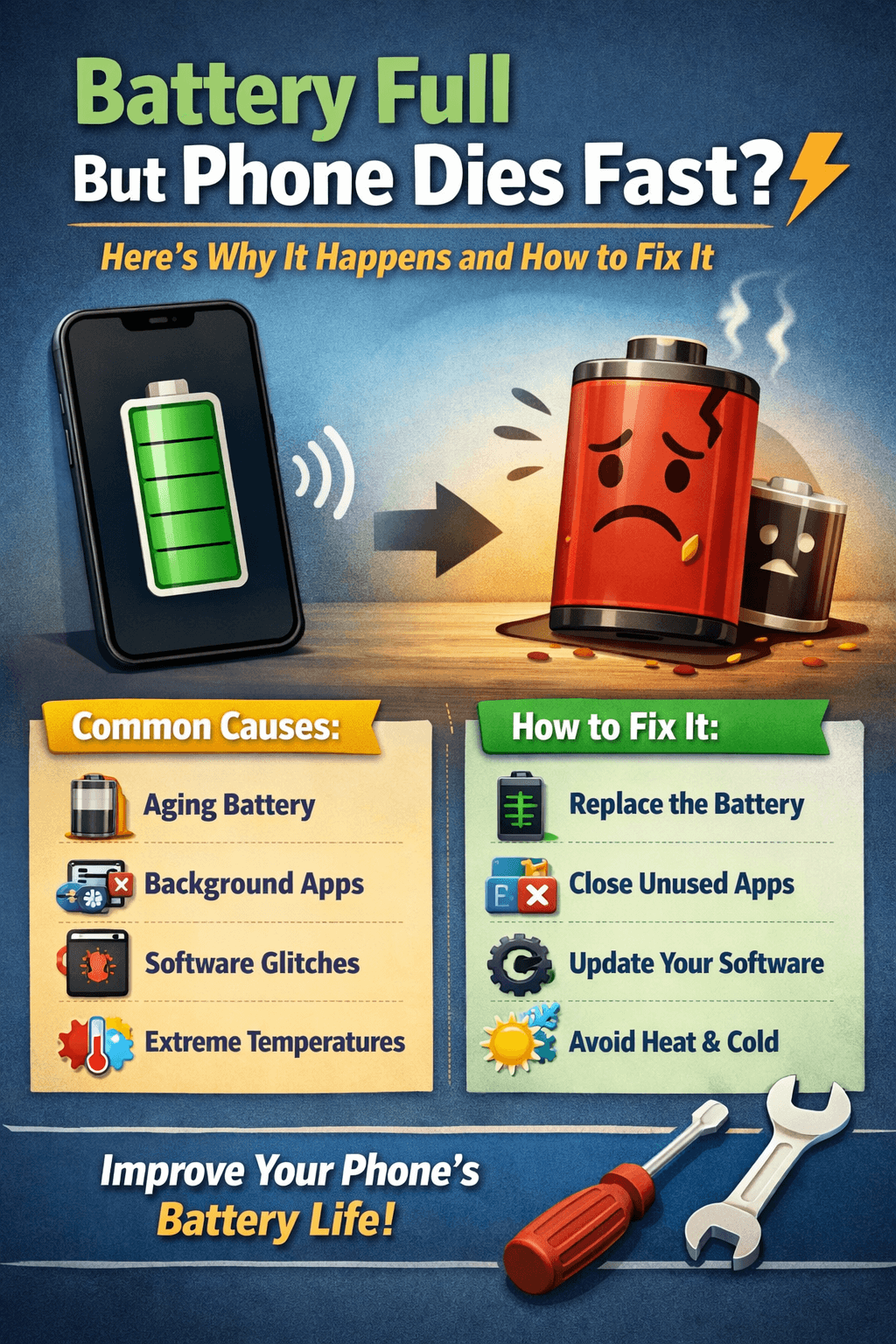
You charged your phone overnight. The battery icon shows 100%. You unplug it, go about your morning and by the time you've had your second cup of coffee, your phone is already at 40%. Or worse, it just shuts off completely while still showing a decent charge percentage. Sound familiar?
If your battery is full but your phone dies fast, you're not imagining things. This is one of the most frustrating and common battery problems smartphone users face today. The good news? It's usually fixable. The better news? Once you understand why it happens, you can stop it from happening again.
Let's break it all down the causes, the fixes, and the habits that will keep your battery healthy for the long run.
Why Does a Full Battery Die So Fast? The Real Explanation
Before we jump into fixes, it helps to understand what'

s actually going on inside your phone.
Your smartphone battery is a lithium-ion (or lithium-polymer) battery. These batteries don't last forever they have a limited number of charge cycles. Over time, the battery's ability to hold a full charge degrades. But here's the tricky part: your phone's battery percentage isn't always accurate. It's an estimate based on the battery's behavior and when the battery ages or malfunctions, that estimate can be way off.
So when your phone says 100% but dies an hour later, it's often because:
The battery can no longer physically hold a full charge
The battery calibration is off
There's a software or background process draining power rapidly
A setting on your phone is consuming much more power than normal
Now let's go through each cause one by one.
1. Your Battery Health Has Degraded
This is the number one reason why a battery full but phone dies fast scenario happens — especially on phones that are more than 1–2 years old.
Every time you charge and discharge your battery, it completes what's called a charge cycle. Lithium-ion batteries are typically rated for around 300 to 500 full charge cycles before they start degrading noticeably. After that, the battery physically cannot store as much energy as it once could even if the software still shows "100%."
How to check your battery health:
iPhone users: Go to Settings > Battery > Battery Health & Charging. If your maximum capacity is below 80%, your battery has significantly degraded and should be replaced.
Android users: The steps vary by brand. Samsung users can check via Settings > Battery and Device Care > Battery. Some Android phones also support dialing
*#*#4636#*#*in the phone app for battery info. You can also use third-party apps like AccuBattery for detailed health stats.
If your battery health is low, no amount of software tweaking will fully solve the problem. A battery replacement is the real fix.
2. Your Battery Calibration Is Off
Battery calibration is something most people have never heard of — but it plays a huge role in how accurately your phone reports its charge level.
When your battery is miscalibrated, your phone's software has an inaccurate picture of how much power is actually stored. This is why your battery might jump from 30% to dead in minutes, or why it shows 100% but phone dies fast without warning.
How to recalibrate your battery:
Use your phone until it completely shuts off on its own (don't force it off).
Leave it off for 15–30 minutes.
Charge it to 100% without interruption — ideally while it's turned off.
Once fully charged, unplug and restart your phone.
Repeat this process 2–3 times over a week.
This recalibration process helps your phone's software get a more accurate reading of the battery's actual capacity.
3. Background Apps Are Silently Draining Your Battery
Even when you're not actively using your phone, dozens of apps can be running in the background — syncing data, checking for notifications, updating content, and consuming power the whole time.
This is one of the most sneaky reasons why your phone battery drains fast even when not in use or when you feel like you're barely using it.
How to find and stop battery-draining apps:
iPhone: Go to Settings > Battery and scroll down to see which apps are using the most battery in the last 24 hours or 7 days.
Android: Go to Settings > Battery > Battery Usage to see a breakdown by app.
Look for apps that are consuming a high percentage of battery in the background. Social media apps (Facebook, Instagram, TikTok), email clients, and fitness tracking apps are common culprits.
What to do:
Force close apps you're not using
Disable background app refresh for non-essential apps
Consider uninstalling apps that drain battery excessively
4. Your Screen Brightness Is Too High
The display is one of the biggest battery consumers on any smartphone — especially if you have a large, high-resolution screen. If your brightness is always cranked up to maximum, that alone can explain why your battery full but phone dies fast problem exists.
Fixes:
Enable auto-brightness so your screen adjusts to ambient lighting
Manually reduce screen brightness to 50–60% in normal conditions
Enable Dark Mode — especially on OLED screens, dark mode can significantly reduce battery drain because black pixels on OLED displays are literally turned off
5. Always-On Features Are Eating Your Battery
Modern smartphones come loaded with features that are convenient — but many of them silently consume battery in the background.
Here are some of the biggest offenders:
Location Services / GPS: Having GPS constantly running for multiple apps is a serious battery drain. Go through your apps and set location access to "Only While Using" instead of "Always."
Bluetooth: If you're not using wireless earbuds or a smartwatch, turn Bluetooth off.
Wi-Fi and Mobile Data: If you're in an area with a weak signal, your phone works harder to maintain a connection — which drains the battery fast.
Push Notifications: Every notification wakes your screen and uses data. Limiting notifications from non-essential apps helps.
Hey Siri / Google Assistant (always listening): Voice assistants that constantly listen for wake words use power around the clock.
Go through your settings and disable features you don't actively need. It adds up more than you'd think.
6. Your Software Has a Bug or Needs an Update
Sometimes the problem isn't hardware at all — it's a software bug. A poorly coded update or a glitchy app can cause your processor to run at full speed continuously, which drains your battery shockingly fast even when the phone appears idle.
What to do:
Update your operating system: Manufacturers frequently release updates that fix battery drain bugs. Go to Settings > General > Software Update (iPhone) or Settings > Software Update (Android).
Update your apps: Outdated apps can have bugs that cause excessive battery usage. Keep your apps updated through the App Store or Google Play.
Restart your phone: A simple restart clears temporary system processes that may be stuck running unnecessarily.
Factory reset (last resort): If the battery drain started suddenly after an update and nothing else works, a factory reset can clear software issues — just make sure to back up your data first.
7. Your Phone Is Overheating
Heat is one of the worst enemies of lithium-ion batteries. When your phone gets too hot, the battery discharges faster and degrades more quickly over time.
Common causes of phone overheating include:
Playing graphics-heavy games for long periods
Using the phone in direct sunlight or in a hot car
Charging while using the phone heavily
A faulty app causing the processor to work overtime
If your phone feels warm even when you're not doing anything demanding, check your battery usage stats for any app consuming an unusual amount of power.
Tips to prevent overheating:
Remove your phone case while charging, especially overnight
Avoid charging your phone in direct sunlight
Don't leave your phone in a hot car
Take breaks during intensive gaming or video streaming sessions
8. You're Using a Bad Charger or Cable
This one surprises people, but the charger and cable you use genuinely affect your battery's health over time.
Using a cheap, non-certified third-party charger can cause irregular charging, overcharging, or undercharging — all of which can confuse your battery's calibration and degrade its health faster than normal.
Best practices:
Use the original charger that came with your phone, or a certified replacement from a reputable brand
Avoid leaving your phone plugged in at 100% for hours on end — this puts stress on the battery
Don't charge your phone with a damaged or frayed cable
9. Your Phone's Battery Simply Needs to Be Replaced
If you've gone through everything above and your phone battery is still full but dying fast, it may simply be time for a battery replacement. This is especially true if:
Your phone is 2–4+ years old
Your battery health is below 80%
The phone shuts off randomly at 15–20% or higher
The battery swells or bulges (this is a safety concern — replace immediately)
Battery replacement is usually affordable and can make your phone feel brand new again. You can go through:
Your phone's manufacturer (Apple, Samsung, etc.)
An authorized repair center
A trusted local repair shop
For iPhones, Apple's battery replacement service is straightforward and reasonably priced. For Android phones, costs vary by model and brand.
How to Prevent Fast Battery Drain in the Future
Now that you know why your battery full but phone dies fast problem happens, here are some long-term habits to protect your battery:
Keep Your Battery Between 20% and 80%
Lithium-ion batteries last longest when they're not constantly being charged to 100% or drained to 0%. Try to keep your charge in the 20–80% range whenever possible. Many modern phones now offer an option to limit charging to 80% — use it.
Avoid Fast Charging Unless Necessary
Fast charging is convenient, but it generates more heat, which degrades the battery faster over time. Use standard charging for everyday top-ups and save fast charging for when you're in a hurry.
Store Your Phone in a Cool Place
Heat degrades batteries. Don't leave your phone on a sunny windowsill, in a hot car, or under your pillow while it charges.
Update Your Software Regularly
Keep your operating system and apps up to date to benefit from battery optimization improvements and bug fixes.
Turn On Battery Saver Mode When Needed
Most smartphones have a battery saver or low power mode that reduces background activity and performance to extend battery life. It's a great tool to use when you're running low and can't charge.
Final Thoughts
A battery full but phone dies fast is a problem that has real, fixable causes. Whether it's degraded battery health, miscalibration, rogue background apps, or power-hungry settings — you now have a complete picture of what's going on and exactly what to do about it.
Start with the easiest fixes first: check your battery health, review your app usage, and turn off features you don't need. If the problem persists, consider a battery replacement — it's one of the best investments you can make to extend the life of your phone.
For more guides, tips, and honest battery advice, keep checking back at BestBatteryGuide.com — your go-to resource for everything battery-related.
Try Our Battery Health Checklist
Run a quick health check to spot early battery problems.
Battery Health Checklist
Answer 8 quick questions to diagnose your battery
Does your battery drain from 100% to 0% in less than 6 hours with normal use?
Frequently Asked Questions

Written by
BatteryGuides Editorial Team
Our team of battery experts researches and tests every guide to ensure accuracy. We're committed to helping you get the most out of your phone, laptop, and solar batteries.


