Tips to Keep Your Phone Battery Healthy and Extend Its Lifespan
Table of Contents
- Understanding Your Smartphone Battery
- Best Tips to Keep Your Phone Battery Healthy
- 1. Avoid Extreme Temperatures
- 2. Avoid Leaving Your Phone Plugged In Unnecessarily Overnight
- 3. Store Your Phone at Around 50% Battery (Long-Term)
- 4. Keep Your Phone Software Updated
- 5. Adjust Screen Brightness and Display Settings
- 6. Enable Battery Saver or Low Power Mode
- 7. Monitor Battery Usage by Apps
- 8. Charge Properly from a Computer
- Estimate cycle impact
- Common Phone Battery Myths
- Myth 1: A New Phone Must Be Charged for 8 Hours
- Myth 2: Letting Your Phone Die Completely Is Always Bad
- Myth 3: Smartphone Batteries Last Forever
- Final Thoughts
Smartphones are essential for communication, entertainment, work, and navigation. Because of heavy usage, maintaining phone battery health matters more than ever. Many users notice faster drain after a year or two—usually from natural battery aging or poor charging habits.
Fortunately, with the right care, you can keep your phone battery healthy and extend its lifespan. This guide explains how smartphone batteries work, the best battery care practices, and common myths. If you are troubleshooting specific failures, start with battery issues in phones and charging port problems.
Understanding Your Smartphone Battery
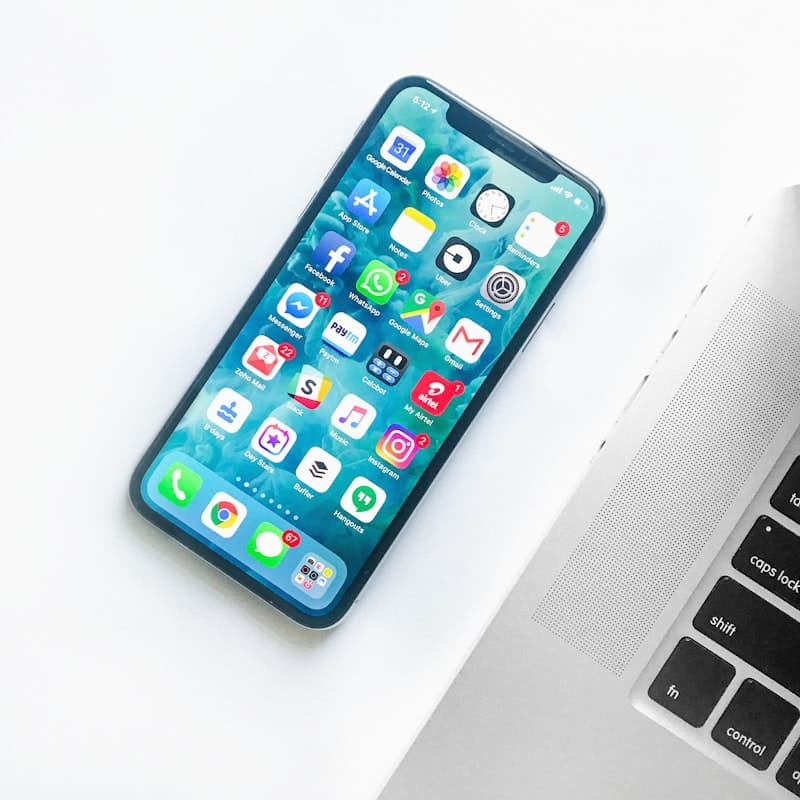
Before learning how to maintain battery health, it is important to understand the type of battery used in modern smartphones.
Most smartphones today use lithium-ion (Li-ion) batteries. Major manufacturers rely on lithium-ion technology because it offers higher energy density, faster charging, and lighter weight than older chemistries.
However, even advanced Li-ion cells degrade over time. Most smartphone batteries retain about 80% of original capacity after 300–500 charge cycles—often around two years of regular use. For deeper technical background, Battery University’s guide to prolonging lithium-based batteries is an authoritative resource.
Best Tips to Keep Your Phone Battery Healthy
Below are the most effective battery health tips that can help extend your phone’s battery life.
1. Avoid Extreme Temperatures
Temperature plays a major role in battery performance and lifespan. Li-ion cells work best within moderate ranges; high heat can permanently damage components, while cold can temporarily reduce performance and cause sudden shutdowns.
Tip: Avoid leaving your phone inside a hot car, in direct sunlight, or near heat sources. Keeping the device at moderate temperatures helps long-term health.
2. Avoid Leaving Your Phone Plugged In Unnecessarily Overnight
Many people charge overnight. While modern phones include protection circuitry, staying at 100% for many hours—especially if warm—increases time spent at a stressful state of charge.
Tip: Charge during the day when possible, or enable optimized charging / adaptive charging so the phone finishes closer to wake-up time.
3. Store Your Phone at Around 50% Battery (Long-Term)
If you will not use a device for months, fully charged or fully empty storage can stress cells.
Best practices:
- Charge to roughly 50%.
- Power the device off.
- Store in a cool, dry place.
- Recharge toward 50% every few months if storage extends beyond six months.
4. Keep Your Phone Software Updated
Software updates often include battery performance improvements and bug fixes. Running outdated software may cause unnecessary drain or inaccurate percentage readings.
How to update: Settings → System → Software Update (Android) or Settings → General → Software Update (iOS).
5. Adjust Screen Brightness and Display Settings
The display is one of the largest power consumers. Lower brightness, auto-brightness, and dark mode (on OLED) can noticeably extend runtime.

6. Enable Battery Saver or Low Power Mode
Battery saver reduces background activity, limits visual effects, and delays non-essential updates—helpful when you are low or want to stretch a travel day.
7. Monitor Battery Usage by Apps
Open Settings → Battery → Battery usage and identify outliers. Social, navigation, and camera apps are common culprits. Restrict background refresh or replace problematic apps.
8. Charge Properly from a Computer
If you charge from a USB port, ensure the computer stays awake; sleep mode can stop charging and may slowly drain the phone.
Estimate cycle impact
Use the calculator below to think about how cycle count relates to longevity. Pair this with the habits above—not as a substitute for manufacturer diagnostics.
Battery Cycle Life Calculator
Estimate remaining cycles and replacement timeline
Device
Usage & Health
Common Phone Battery Myths
Many misconceptions still circulate. Understanding the truth helps you avoid harmful habits.
Myth 1: A New Phone Must Be Charged for 8 Hours
This advice applied to older nickel-cadmium batteries. Modern lithium-ion batteries do not require long initial charging—you can use the phone right after setup.
Myth 2: Letting Your Phone Die Completely Is Always Bad
Deep discharges every day increase wear. An occasional full cycle can help recalibration, but habitually running to 0% stresses the pack.
Myth 3: Smartphone Batteries Last Forever
No battery lasts forever. After 2–3 years, capacity loss is normal; replacement may be the most cost-effective way to restore performance—especially compared to buying a new phone solely for battery life. For platform trade-offs, see iPhone vs Android battery life.
Final Thoughts
Maintaining phone battery health keeps your smartphone reliable for work and safety. By managing temperature, display settings, updates, and charging patterns, you slow degradation and reduce surprise shutdowns.
Taking good care of your phone battery improves daily performance and can delay expensive replacements—especially when combined with professional service if health drops below roughly 80% capacity.
Frequently Asked Questions

Written by
BBGuides Editorial Team
Our team of battery experts researches and tests every guide to ensure accuracy. We're committed to helping you get the most out of your phone, laptop, and solar batteries.